How to Scrape Amazon Product Data in 2026 (Prices, Reviews & Rankings)
Amazon has 350 million SKUs, real-time prices, and the richest review dataset on the internet. Here is how to extract all of it reliably in 2026 using Python and ScrapeUp's API, including LLM-powered extraction that requires zero CSS selectors.
Amazon is the world's largest product database. Over 350 million SKUs. Real-time prices that change thousands of times per day. Customer reviews that tell you more about a product than any marketing copy ever could. If you are building a price monitoring tool, a competitor intelligence system, an e-commerce analytics platform, or an AI-powered shopping assistant, Amazon is where your data pipeline starts.
The problem: Amazon is also one of the most aggressively protected sites on the internet. It runs its own in-house bot detection system, rotates its HTML structure constantly, loads critical data through JavaScript, and permanently bans datacenter IPs within minutes. Plain requests calls fail instantly. Headless browsers get flagged within seconds. Maintaining a DIY scraper for Amazon in 2026 is a full-time job.
This guide shows you how to pull Amazon product prices, reviews, bestseller rankings, and structured product data using Python and ScrapeUp's API — including its LLM-powered extraction tier that returns clean JSON without you writing a single CSS selector.
What You Can Scrape from Amazon (and Why It Matters)
Before writing a line of code, it is worth being precise about what Amazon data is actually useful and how businesses use it.
Product prices and availability are the most common use case. E-commerce sellers use real-time price data to reprice their own listings competitively. Price comparison sites use it to surface the best deals. Investors track Amazon pricing to identify margin pressure across product categories.
Customer reviews and ratings are the richest signal of product quality on the internet. Review data powers AI product recommendation systems, brand monitoring tools, return rate prediction models, and competitor weakness analysis. A pattern of one-star reviews mentioning the same defect is worth more than any survey.
Bestseller rankings and category positions tell you what Amazon's algorithm is rewarding — and by extension, where consumer demand is concentrated. These rankings update hourly, making them a real-time demand signal.
Product metadata — dimensions, weight, materials, compatibility, ingredients — is the raw material for product comparison engines, compliance tools, and retail data enrichment pipelines.
All of this data is publicly visible on Amazon's website. You are not bypassing authentication or accessing private data. You are reading what Amazon shows to every visitor — just faster, and at scale.
Why Amazon Is Hard to Scrape (and What ScrapeUp Does Differently)
Here is what happens when you try a plain Python requests call on Amazon:
import requests

r = requests.get("https://www.amazon.com/dp/B0CHX3QBCH")
print(r.status_code)  # 503 or a redirect to robot check
print(r.text[:200])   # "To discuss automated access to Amazon data please contact..."
Amazon blocks this in under 50ms. Here is what it checks:
- IP reputation — AWS, GCP, and DigitalOcean ASNs are pre-flagged. Your datacenter IP is blacklisted before the first header is read. - TLS fingerprint — Python's urllib3 has a unique cipher suite order that Amazon's infrastructure recognises as non-browser. - HTTP/2 fingerprint — Header order and SETTINGS frame values differ between real Chrome and any HTTP library. - Browser headers — Missing sec-ch-ua, sec-fetch-*, and accept-language headers are instant bot signals. - Cookie state — No session-id, ubid-main, or x-main cookies means no prior session history. - JavaScript challenges — Amazon's AmazonBot and PerimeterX checks run client-side JS that validates browser authenticity.
ScrapeUp routes every request through a pool of residential IPs (real consumer devices on ISP networks), spoofs Chrome's TLS and HTTP/2 fingerprints, injects the full browser header set, manages session cookies across requests, and solves JavaScript challenges automatically. Your Python code stays simple. ScrapeUp handles the complexity.
Setup
Get a free API key at scrapeup.com — free accounts include 1,000 credits with no credit card required.
Install the only dependency you need:
pip install requestsThe ScrapeUp API endpoint is https://api.scrapeup.com. Every request passes your api_key and the url you want to scrape. That is the entire interface.
Scenario 1: Scrape an Amazon Product Page (Price, Title, Rating)
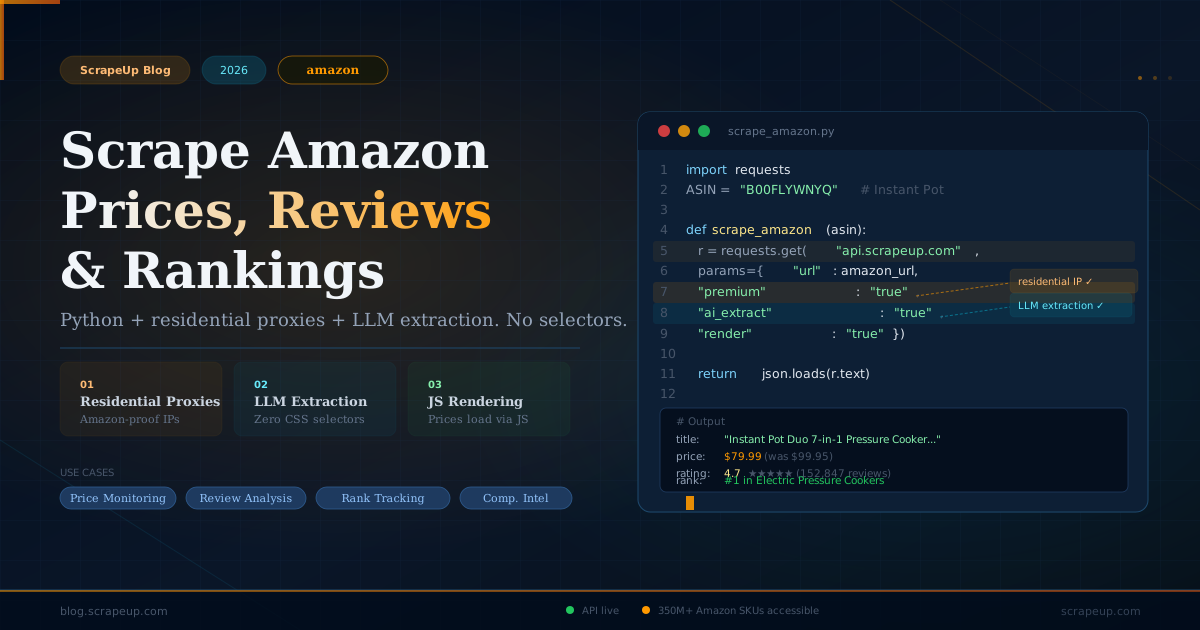
Let's start with the most common request: pull structured data from a single product listing. We will use the Instant Pot Duo 7-in-1 — a consistently top-selling kitchen appliance — as our example.
import requests
from bs4 import BeautifulSoup

API_KEY = "your_scrapeup_key"

def scrape_amazon_product(asin: str) -> dict:
    """
    Scrape a single Amazon product page.
    premium=True routes through residential IPs with full browser fingerprinting.
    render=True executes JavaScript — required for Amazon's dynamic price loading.
    """
    url = f"https://www.amazon.com/dp/{asin}"

    r = requests.get("https://api.scrapeup.com", params={
        "api_key":  API_KEY,
        "url":      url,
        "premium":  "true",   # Residential IP + Chrome TLS fingerprint
        "render":   "true",   # Execute JavaScript (Amazon loads prices via JS)
        "country":  "us",     # Route through US residential IP
    }, timeout=90)

    if r.status_code != 200:
        raise Exception(f"API error {r.status_code}: {r.text[:200]}")

    soup = BeautifulSoup(r.text, "html.parser")

    # Title
    title_el = soup.select_one("#productTitle")
    title = title_el.get_text(strip=True) if title_el else None

    # Price (Amazon uses multiple price elements; try the most common)
    price = None
    for selector in ["#priceblock_ourprice", "#priceblock_dealprice",
                      ".a-price .a-offscreen", "#corePriceDisplay_desktop_feature_div .a-offscreen"]:
        el = soup.select_one(selector)
        if el:
            price = el.get_text(strip=True)
            break

    # Rating
    rating_el = soup.select_one("span[data-hook='rating-out-of-text']")
    if not rating_el:
        rating_el = soup.select_one(".a-icon-alt")
    rating = rating_el.get_text(strip=True) if rating_el else None

    # Review count
    review_count_el = soup.select_one("#acrCustomerReviewText")
    review_count = review_count_el.get_text(strip=True) if review_count_el else None

    # Availability
    availability_el = soup.select_one("#availability span")
    availability = availability_el.get_text(strip=True) if availability_el else None

    return {
        "asin":         asin,
        "title":        title,
        "price":        price,
        "rating":       rating,
        "review_count": review_count,
        "availability": availability,
        "url":          url,
    }

# Run it
product = scrape_amazon_product("B00FLYWNYQ")
for k, v in product.items():
    print(f"{k}: {v}")
Sample output:
asin: B00FLYWNYQ
title: Instant Pot Duo 7-in-1 Electric Pressure Cooker, Slow Cooker, Rice Cooker...
price: $79.99
rating: 4.7 out of 5 stars
review_count: 152,847 ratings
availability: In Stock
Two parameters do all the heavy lifting here: premium=true for residential IP routing and render=true for JavaScript execution. Without both, Amazon returns either a block page or incomplete HTML with price data missing.
Scenario 2: LLM-Powered Extraction — No CSS Selectors Required
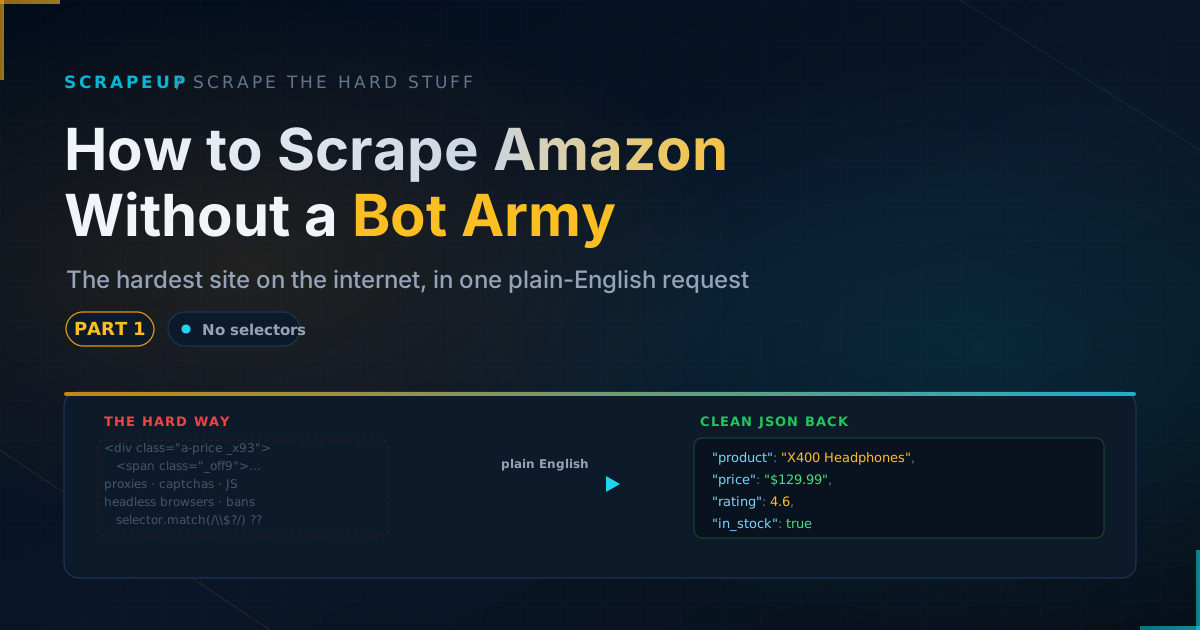
Writing CSS selectors for Amazon is a maintenance trap. Amazon changes its HTML structure constantly, and selectors that work today break next month. ScrapeUp's AI extraction tier solves this permanently.
Instead of writing selectors, you describe what you want in plain English. ScrapeUp's LLM layer (powered by Gemini Flash Lite for speed, or Claude for precision) reads the page and returns structured JSON matching your schema.
import requests
import json

API_KEY = "your_scrapeup_key"

def scrape_amazon_ai(asin: str) -> dict:
    """
    LLM-powered extraction — returns structured JSON from natural language instructions.
    No CSS selectors. No HTML parsing. Works even when Amazon changes its layout.

    ai_extract=true activates the extraction layer.
    extraction_prompt describes what to extract and the output schema.
    ai_model options: 'fast' (Gemini Flash Lite), 'balanced', 'precision', 'ultra' (Claude)
    """
    url = f"https://www.amazon.com/dp/{asin}"

    r = requests.get("https://api.scrapeup.com", params={
        "api_key":          API_KEY,
        "url":              url,
        "premium":          "true",
        "render":           "true",
        "ai_extract":       "true",
        "ai_model":         "balanced",  # Good speed/accuracy tradeoff
        "extraction_prompt": """
            Extract the following from this Amazon product page and return as JSON:
            {
                "title": "full product title",
                "brand": "brand name",
                "asin": "ASIN code",
                "price": "current price as string with $ sign",
                "original_price": "crossed-out original price if shown, else null",
                "discount_percent": "discount percentage if shown, else null",
                "rating": "star rating as number e.g. 4.7",
                "review_count": "number of reviews as integer",
                "availability": "in stock / out of stock / ships in X days",
                "prime_eligible": true or false,
                "sold_by": "seller name",
                "fulfilled_by": "Amazon or third-party seller",
                "bullet_points": ["array of key product features from the bullet list"],
                "categories": ["breadcrumb category path as array"],
                "bestseller_rank": "bestseller rank string if shown e.g. #1 in Pressure Cookers"
            }
        """,
    }, timeout=120)

    if r.status_code != 200:
        raise Exception(f"API error {r.status_code}")

    return json.loads(r.text)

# Run it
data = scrape_amazon_ai("B00FLYWNYQ")
print(json.dumps(data, indent=2))
Sample output:
{
  "title": "Instant Pot Duo 7-in-1 Electric Pressure Cooker, Slow Cooker, Rice Cooker, Steamer, Sauté, Yogurt Maker & Warmer, 6 Quart, 14 One-Touch Programs",
  "brand": "Instant Pot",
  "asin": "B00FLYWNYQ",
  "price": "$79.99",
  "original_price": "$99.95",
  "discount_percent": "20%",
  "rating": 4.7,
  "review_count": 152847,
  "availability": "In Stock",
  "prime_eligible": true,
  "sold_by": "Amazon.com",
  "fulfilled_by": "Amazon",
  "bullet_points": [
    "7-IN-1 FUNCTIONALITY: Pressure cooker, slow cooker, rice cooker...",
    "QUICK ONE-TOUCH COOKING: 13 customizable smart programs...",
    "COOK FAST OR SLOW: Pressure cooking reduces your cooking time..."
  ],
  "categories": ["Home & Kitchen", "Kitchen & Dining", "Small Appliances", "Pressure Cookers"],
  "bestseller_rank": "#1 in Electric Pressure Cookers"
}
This is the extraction tier's killer feature: your code is schema-forward. You define the data shape you want; the LLM figures out where to find it. When Amazon moves a price element to a new div or adds a new discount badge, your extraction prompt still works because it describes meaning, not location.
Use "ai_model": "fast" for high-volume monitoring jobs where you need throughput. Use "ai_model": "precision" or "ai_model": "ultra" for complex pages like bundle listings, variation matrices, or pages with A/B tested layouts where accuracy matters more than speed.
Scenario 3: Scrape Amazon Reviews at Scale
Customer reviews are where the real signal lives. Here is how to pull all reviews for a product across multiple pages, with sentiment-ready structured output.
import requests
import json
import time

API_KEY = "your_scrapeup_key"

def scrape_amazon_reviews(asin: str, pages: int = 5, star_filter: int = None) -> list:
    """
    Scrape Amazon customer reviews using AI extraction.

    asin: Amazon product ASIN
    pages: number of review pages to scrape (10 reviews per page)
    star_filter: 1-5 to filter by star rating, None for all reviews

    Uses session_number to maintain the same residential IP across pages —
    Amazon is more suspicious of review pages accessed from cold IPs.
    """
    all_reviews = []
    session_id = f"reviews-{asin}-{int(time.time())}"

    for page in range(1, pages + 1):
        # Build Amazon reviews URL with optional star filter
        filter_param = f"&filterByStar=star_{star_filter}" if star_filter else ""
        url = (
            f"https://www.amazon.com/product-reviews/{asin}"
            f"?pageNumber={page}&sortBy=recent{filter_param}"
        )

        r = requests.get("https://api.scrapeup.com", params={
            "api_key":          API_KEY,
            "url":              url,
            "premium":          "true",
            "render":           "true",
            "session_number":   session_id,   # Same IP across all pages
            "ai_extract":       "true",
            "ai_model":         "fast",        # Speed matters for multi-page jobs
            "extraction_prompt": """
                Extract all customer reviews from this page and return as a JSON array.
                Each review object should have:
                {
                    "reviewer_name": "name",
                    "rating": number 1-5,
                    "title": "review headline",
                    "date": "date string as shown",
                    "verified_purchase": true or false,
                    "body": "full review text",
                    "helpful_votes": number or 0,
                    "variant_purchased": "size/color/style if shown, else null"
                }
                Return ONLY the JSON array with no other text.
            """,
        }, timeout=120)

        if r.status_code != 200:
            print(f"Page {page} failed: {r.status_code}")
            break

        try:
            reviews = json.loads(r.text)
            if not reviews:
                break  # No more reviews
            all_reviews.extend(reviews)
            print(f"Page {page}: got {len(reviews)} reviews (total: {len(all_reviews)})")
        except json.JSONDecodeError:
            print(f"Page {page}: JSON parse error")
            break

        time.sleep(2)  # Polite delay between pages

    return all_reviews

# Pull 1-star reviews for Instant Pot to find common complaints
reviews = scrape_amazon_reviews("B00FLYWNYQ", pages=3, star_filter=1)
print(f"\nTotal 1-star reviews scraped: {len(reviews)}")
print(json.dumps(reviews[0], indent=2))
The session_number parameter is important for review scraping. Amazon's bot detection scores sessions based on navigation history — a cold IP that jumps directly to page 5 of reviews looks suspicious. By passing the same session_number across your requests, ScrapeUp routes all of them through the same residential IP, building session continuity that reduces block rates significantly.
Scenario 4: Track Bestseller Rankings Across a Category
Amazon's bestseller rankings update hourly and are one of the best real-time demand signals available. Here is how to scrape an entire category bestseller page and track rank movements over time.
import requests
import json
import csv
from datetime import datetime

API_KEY = "your_scrapeup_key"

def scrape_bestsellers(category_url: str, category_name: str) -> list:
    """
    Scrape Amazon bestseller rankings for a category.

    Example categories:
    - Pressure Cookers: https://www.amazon.com/Best-Sellers-Kitchen-Dining-Pressure-Cookers/zgbs/kitchen/289694/
    - Laptops: https://www.amazon.com/Best-Sellers-Computers-Accessories-Laptops/zgbs/pc/565108/
    - Supplements: https://www.amazon.com/Best-Sellers-Health-Household-Vitamin-Mineral-Supplements/zgbs/hpc/6973663011/
    """
    r = requests.get("https://api.scrapeup.com", params={
        "api_key":          API_KEY,
        "url":              category_url,
        "premium":          "true",
        "render":           "true",
        "ai_extract":       "true",
        "ai_model":         "balanced",
        "extraction_prompt": """
            This is an Amazon bestseller rankings page. Extract all ranked products as a JSON array.
            For each product include:
            {
                "rank": integer ranking position,
                "asin": "ASIN if visible in URL or product ID",
                "title": "product title",
                "brand": "brand name if shown",
                "price": "price as string",
                "rating": star rating as number,
                "review_count": integer,
                "image_url": "product image URL",
                "product_url": "relative or absolute URL to product page",
                "sponsored": true if labeled as sponsored, otherwise false
            }
            Return ONLY the JSON array.
        """,
    }, timeout=120)

    if r.status_code != 200:
        raise Exception(f"Failed: {r.status_code}")

    products = json.loads(r.text)

    # Add metadata
    timestamp = datetime.now().isoformat()
    for p in products:
        p["category"] = category_name
        p["scraped_at"] = timestamp

    return products

# Track pressure cooker bestsellers
url = "https://www.amazon.com/Best-Sellers-Kitchen-Dining-Pressure-Cookers/zgbs/kitchen/289694/"
rankings = scrape_bestsellers(url, "Pressure Cookers")

# Save to CSV for trend tracking
with open("bestseller_rankings.csv", "w", newline="") as f:
    if rankings:
        writer = csv.DictWriter(f, fieldnames=rankings[0].keys())
        writer.writeheader()
        writer.writerows(rankings)

print(f"Scraped {len(rankings)} bestselling products")
for p in rankings[:5]:
    print(f"  #{p['rank']} — {p['title'][:50]} — {p['price']} — {p['rating']}★")
Sample output:
Scraped 50 bestselling products
  #1 — Instant Pot Duo 7-in-1 Electric Pressure Cooker... — $79.99 — 4.7★
  #2 — COMFEE' Rice Cooker, Slow Cooker, Pressure Cooker... — $49.99 — 4.5★
  #3 — Ninja OL501 Foodi 14-in-1 SMART XL 8 Qt. Pressure... — $199.99 — 4.6★
  #4 — Instant Pot Duo Plus 9-in-1 Electric Pressure Cooker... — $99.95 — 4.7★
  #5 — T-fal Clipso Stainless Steel Pressure Cooker 6.3 Quart... — $89.99 — 4.4★
Run this on a schedule (cron job or Cloud Scheduler) to build a historical dataset of rank changes. Products that move from #15 to #3 overnight are worth investigating — usually a price drop, a viral review, or a deal promotion.
Scenario 5: Price Monitoring for a List of ASINs
The production version of price monitoring scrapes dozens or hundreds of ASINs on a schedule and alerts you to price changes.
import requests
import json
import time
from datetime import datetime

API_KEY = "your_scrapeup_key"

# Track these products
WATCHLIST = [
    {"asin": "B00FLYWNYQ",  "name": "Instant Pot Duo 6qt"},
    {"asin": "B086JDMFV9",  "name": "Instant Pot Pro 8qt"},
    {"asin": "B07FTRGT35",  "name": "Ninja Foodi 8qt"},
    {"asin": "B098BVFK8N",  "name": "Cuisinart Electric Pressure"},
    {"asin": "B09G3G5154",  "name": "Comfee Multi Cooker"},
]

def get_price(asin: str) -> dict:
    r = requests.get("https://api.scrapeup.com", params={
        "api_key":          API_KEY,
        "url":              f"https://www.amazon.com/dp/{asin}",
        "premium":          "true",
        "render":           "true",
        "ai_extract":       "true",
        "ai_model":         "fast",      # Fast tier for high-volume monitoring
        "extraction_prompt": """
            Return ONLY this JSON object with no other text:
            {
                "price": current price as float (e.g. 79.99),
                "original_price": original price as float if shown, else null,
                "in_stock": true or false,
                "prime": true or false
            }
        """,
    }, timeout=90)

    if r.status_code != 200:
        return None
    try:
        return json.loads(r.text)
    except:
        return None

def monitor_prices(watchlist: list, previous_prices: dict = None) -> dict:
    current_prices = {}
    alerts = []

    for item in watchlist:
        asin = item["asin"]
        data = get_price(asin)

        if not data:
            print(f"  {item['name']}: failed")
            continue

        current_prices[asin] = {
            "name":           item["name"],
            "price":          data.get("price"),
            "original_price": data.get("original_price"),
            "in_stock":       data.get("in_stock"),
            "prime":          data.get("prime"),
            "checked_at":     datetime.now().isoformat(),
        }

        price = data.get("price")
        print(f"  {item['name']}: ${price} {'(in stock)' if data.get('in_stock') else '(out of stock)'}")

        # Detect price drops
        if previous_prices and asin in previous_prices:
            prev_price = previous_prices[asin].get("price")
            if prev_price and price and price < prev_price * 0.95:  # >5% drop
                alerts.append({
                    "asin":       asin,
                    "name":       item["name"],
                    "old_price":  prev_price,
                    "new_price":  price,
                    "drop_pct":   round((prev_price - price) / prev_price * 100, 1),
                })

        time.sleep(1)  # 1 second between requests

    # Report alerts
    if alerts:
        print("\n🔔 PRICE DROP ALERTS:")
        for alert in alerts:
            print(f"  {alert['name']}: ${alert['old_price']} → ${alert['new_price']} (-{alert['drop_pct']}%)")

    return current_prices

print(f"Price check — {datetime.now().strftime('%Y-%m-%d %H:%M')}")
prices = monitor_prices(WATCHLIST)

# Save for next comparison
with open("prices_latest.json", "w") as f:
    json.dump(prices, f, indent=2)
Credit cost for this job: 5 ASINs × fast tier = approximately 5–10 credits per run. At ScrapeUp's Lite plan ($14/month), you can run this job every 30 minutes, 24/7, for the entire month on a 50-product watchlist for under $15.
Choosing the Right ScrapeUp Parameters for Amazon
| Parameter | Value | When to use |
|---|---|---|
| `premium` | `true` | Always for Amazon — datacenter IPs are blocked instantly |
| `render` | `true` | Always for Amazon — prices and availability load via JavaScript |
| `ai_extract` | `true` | When you want structured JSON without writing HTML parsers |
| `ai_model` | `fast` | High-volume monitoring jobs (price checking, rank tracking) |
| `ai_model` | `balanced` | Product detail pages where you need most fields accurately |
| `ai_model` | `precision` | Complex pages: variations, bundles, seller pages |
| `ai_model` | `ultra` | Maximum accuracy for QA, sampling, or high-stakes extraction |
| `session_number` | any string | Multi-page scraping (reviews pagination, search result pages) |
| `country` | `us` | US Amazon prices; use `uk`, `de`, `jp` for other marketplaces |
Production Architecture: Running This at Scale
For serious data pipelines, here is the architecture pattern that works:
Scheduler (cron / Cloud Scheduler / Airflow) triggers scrape jobs on your cadence — hourly for prices, daily for rankings, weekly for review pulls.
Queue (Redis / SQS / Pub/Sub) holds your ASIN list. Multiple workers pull from the queue in parallel. ScrapeUp handles concurrent requests cleanly — no rate limit headaches on your end.
Storage (BigQuery / Postgres / S3) stores raw results. Keep raw JSON before parsing so you can re-extract if your schema changes.
Change detection layer compares current vs. previous run and fires alerts (Slack webhook, email, PagerDuty) only when something changes meaningfully — not on every run.
import requests, json, time, redis

API_KEY = "your_scrapeup_key"
r = redis.Redis()

def worker():
    while True:
        item = r.lpop("amazon:queue")
        if not item:
            time.sleep(5)
            continue

        asin = item.decode()
        try:
            resp = requests.get("https://api.scrapeup.com", params={
                "api_key":          API_KEY,
                "url":              f"https://www.amazon.com/dp/{asin}",
                "premium":          "true",
                "render":           "true",
                "ai_extract":       "true",
                "ai_model":         "fast",
                "extraction_prompt": "Extract: title, price (float), rating (float), in_stock (bool). Return JSON only.",
            }, timeout=90)

            if resp.status_code == 200:
                data = json.loads(resp.text)
                data["asin"] = asin
                r.set(f"amazon:product:{asin}", json.dumps(data), ex=3600)
                print(f"✓ {asin}: ${data.get('price')}")
        except Exception as e:
            print(f"✗ {asin}: {e}")
            r.rpush("amazon:queue", asin)  # Re-queue on failure
What ScrapeUp Handles That You Don't Have To
If you have ever tried to build and maintain an Amazon scraper yourself, you know the real cost is not infrastructure — it is engineering time. Here is what ScrapeUp absorbs:
- IP ban management — Residential IP pool rotation, ban detection, and automatic fallback. When Amazon bans an IP, ScrapeUp retires it immediately and uses a fresh one. You never see a ban. - CAPTCHA solving — Amazon deploys CAPTCHAs on suspicious sessions. ScrapeUp solves them automatically. - TLS and HTTP/2 fingerprinting — Maintaining Chrome-matching fingerprints requires tracking Chrome releases and updating cipher suites. ScrapeUp stays current so you don't have to. - HTML structure changes — Amazon A/B tests layouts constantly. If you use ScrapeUp's AI extraction tier, layout changes are invisible — the LLM reads the page semantically, not structurally. - Retry logic — Failed requests are automatically retried. You only pay for successful responses.
Get Started
Free accounts at scrapeup.com include 1,000 credits — enough to pull data on hundreds of products and validate your use case before committing to a plan. No credit card required.
The Lite plan ($14/month) covers most individual seller and small team use cases. The Professional plan ($99/month) handles production pipelines monitoring thousands of ASINs daily. Enterprise pricing is available for high-volume data operations.
If you are building something with Amazon data — a pricing tool, a review analyzer, a competitive intelligence dashboard, or an AI shopping assistant — ScrapeUp is the infrastructure layer that handles Amazon's defenses so you can focus on building the product.
*Questions or edge cases? Drop them in the ScrapeUp community or check the documentation for the full parameter reference.*