Is Scraping Google Search Still Possible in 2026?
Yes, Google SERP scraping still works in 2026 — but the way most people try it fails immediately. Here's exactly what Google checks, what the working approach looks like, and four real use cases with Python code.

In 2024, a thread in r/webscraping hit the front page of Hacker News with a simple question: "Is scraping Google search still possible?" The top answer, with 847 upvotes, was blunt: "Yes, but not the way you think." In 2026, that answer holds — and this post explains exactly what the wrong way looks like, and what the right way requires.
The short version: Google SERP scraping is alive, widely used in production, and powering real businesses. But naive approaches — Python's requests library pointed directly at google.com — stopped working years ago. The landscape has split into two camps: developers who gave up after hitting 429s and CAPTCHAs, and developers who understood what Google actually checks and built accordingly.
Why Most Google Scrapers Fail Within Minutes
Google runs one of the most sophisticated bot detection systems on the internet. It is not a single check — it is a layered scoring system that evaluates every incoming request across multiple independent signals before deciding whether to return results or serve a CAPTCHA challenge.
1. IP reputation — Datacenter IPs (AWS, GCP, DigitalOcean) are pre-flagged. Your request gets scored before a single header is read.
2. TLS fingerprint — Python's
requests library has a unique TLS handshake signature that Google's infrastructure recognises as non-browser.3. HTTP/2 fingerprint — Header order, pseudo-header order, and HPACK encoding differ between real Chrome and any HTTP library.
4. Browser headers — Missing
sec-ch-ua, sec-fetch-*, and correctly ordered accept-language headers are instant bot flags.5. Behavioural signals — No prior cookie state, no referrer chain, millisecond-level request timing all contribute to a high bot score.
6. reCAPTCHA v3 scoring — Invisible scoring runs on every page load and feeds into whether you see a CAPTCHA challenge or clean results.
Most DIY scrapers fail on checks 1 and 2 before Google evaluates anything else. A Python requests call originating from an AWS IP address, with default library headers and no prior session state, arrives with a bot confidence score near 1.0 before the first byte is processed. That is why you see CAPTCHAs or empty responses within the first few requests — the session never had a chance.
What Actually Works in 2026
Three things are non-negotiable for reliable Google scraping today: residential IP addresses, a real browser fingerprint covering TLS, HTTP/2, and header set, and session continuity with prior cookie state. You need all three. Getting two out of three still results in intermittent blocks at scale.
Building this stack yourself means managing a residential proxy provider at $100–400 per month, maintaining a headless browser pool, handling retries, rotating sessions, and keeping up with Google's continuous fingerprint updates — which have accelerated significantly in 2025. Most engineering teams who tried this in-house have since moved to a managed API layer.
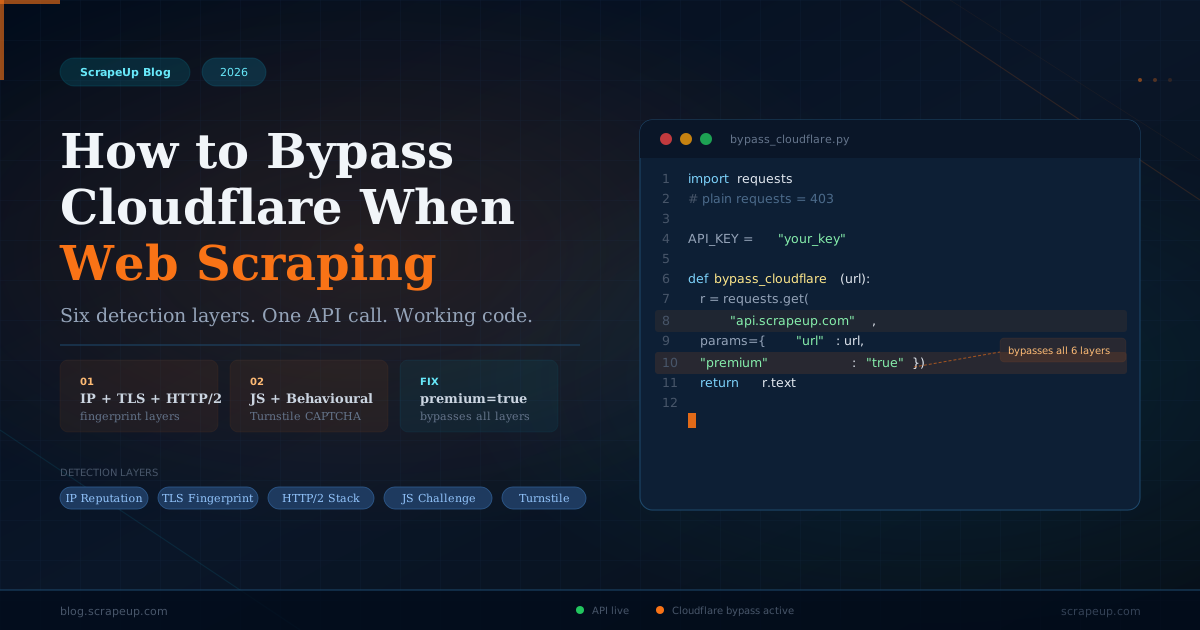
ScrapeUp handles all three requirements with a single parameter: premium=true. That flag routes the request through a residential IP with a correctly matched browser fingerprint, a valid TLS signature, and a realistic header set. You get back clean HTML — identical to what a real Chrome browser would receive.
Quick Start: Scrape Google in Under 10 Lines
Here is a minimal working scraper. Install requests and beautifulsoup4 if you haven't already, grab your free API key at scrapeup.com, and run this:
# Install dependencies
pip install requests beautifulsoup4

# scrape_google.py
import requests
from bs4 import BeautifulSoup
import urllib.parse

API_KEY = "your_scrapeup_key"

def scrape_google(query, num_results=10):
    encoded = urllib.parse.quote(query)
    google_url = f"https://www.google.com/search?q={encoded}&num={num_results}&hl=en"

    r = requests.get("https://api.scrapeup.com", params={
        "api_key": API_KEY,
        "url":     google_url,
        "premium": "true",   # residential IP — required for Google
    }, timeout=90)

    soup = BeautifulSoup(r.text, "html.parser")
    results = []

    for div in soup.select("div.g"):
        title   = div.select_one("h3")
        link    = div.select_one("a")
        snippet = div.select_one("div[data-sncf], span.aCOpRe, div.VwiC3b")
        if title and link:
            results.append({
                "title":   title.get_text(),
                "url":     link["href"],
                "snippet": snippet.get_text() if snippet else "",
            })
    return results

# Run it
results = scrape_google("best CRM software 2026")
for r in results:
    print(r["title"], "→", r["url"])
That is the entire setup. No proxy configuration, no browser management, no session handling, no CAPTCHA logic. ScrapeUp returns the same HTML a real Chrome session would receive, which means standard BeautifulSoup selectors work reliably on the output.
What You Can Extract From a Google SERP
A Google search results page contains far more than ten organic links. Here is every extractable element, its CSS selector, and what it is useful for in practice:
| SERP Element | CSS Selector | Use Case |
|---|---|---|
| Organic results | div.g h3, div.g a | Rank tracking, competitor monitoring |
| Featured snippet | div.ifM9O, div[data-tts] | Answer box monitoring, SEO audits |
| People Also Ask | div.related-question-pair | Content gap analysis, FAQ generation |
| Knowledge panel | div.kp-wholepage | Brand monitoring, entity tracking |
| Shopping results | div.sh-pr__product-results | Price monitoring, competitor ads |
| Related searches | div#bres a, div.s75CSd | Keyword expansion, topic clustering |
Google's HTML structure changes periodically. The selectors above reflect 2026 markup. The best defensive approach is to write selectors with multiple fallbacks — as shown in the code examples — and add a basic health check that alerts you if a scrape returns fewer results than expected.
Use Case 1: Automated Keyword Rank Tracking
Rank tracking tools like Semrush and Ahrefs charge $100–500 per month for keyword position data. For many use cases — particularly when you need custom geographies, same-day freshness, or direct integration with internal systems — building your own rank tracker on ScrapeUp costs a fraction of that.
The following script checks your domain's position across a keyword list and exports results to CSV. Run it daily via a cron job or GitHub Actions scheduled workflow:
# rank_tracker.py — track your domain's position for a keyword list
import requests, json, csv, time
from bs4 import BeautifulSoup
import urllib.parse
from datetime import datetime

API_KEY = "your_scrapeup_key"
TARGET  = "scrapeup.com"   # your domain
KEYWORDS = [
    "web scraping api",
    "scraping api python",
    "bypass cloudflare scraping",
    "residential proxy api",
    "google serp scraper",
]

def get_serp(keyword):
    url = f"https://www.google.com/search?q={urllib.parse.quote(keyword)}&num=30&hl=en&gl=us"
    r = requests.get("https://api.scrapeup.com", params={
        "api_key": API_KEY, "url": url, "premium": "true"
    }, timeout=90)
    return r.text

def find_rank(html, domain):
    soup = BeautifulSoup(html, "html.parser")
    for i, div in enumerate(soup.select("div.g"), 1):
        a = div.select_one("a[href]")
        if a and domain in a["href"]:
            title = div.select_one("h3")
            return {"rank": i, "url": a["href"], "title": title.get_text() if title else ""}
    return {"rank": "not found", "url": "", "title": ""}

results = []
for kw in KEYWORDS:
    html   = get_serp(kw)
    result = find_rank(html, TARGET)
    row    = {"keyword": kw, "date": datetime.utcnow().strftime("%Y-%m-%d"), **result}
    results.append(row)
    print(f"'{kw}' → rank {result['rank']}")
    time.sleep(2)

# Save to CSV
with open("rankings.csv", "w", newline="") as f:
    w = csv.DictWriter(f, fieldnames=["date","keyword","rank","url","title"])
    w.writeheader()
    w.writerows(results)
At ScrapeUp's current pricing, tracking 100 keywords daily costs roughly $3 per month in API credits. A comparable Semrush subscription for the same keyword volume runs $130 per month. The gap widens as keyword count scales.
Use Case 2: Competitor SERP Landscape Mapping
Understanding which competitors rank for which keywords — and at what positions — is the foundation of any data-driven content or SEO strategy. Agencies charge thousands of dollars per month to provide this analysis. Here is how to pull it yourself in a few dozen lines of Python:
# competitor_monitor.py — which competitors rank for your target keywords
import requests, json
from bs4 import BeautifulSoup
import urllib.parse
from urllib.parse import urlparse

API_KEY     = "your_scrapeup_key"
COMPETITORS = ["brightdata.com", "scraperapi.com", "apify.com", "zyte.com"]
KEYWORDS    = ["web scraping api", "proxy rotation api", "bypass cloudflare python"]

def serp_landscape(keyword):
    url = f"https://www.google.com/search?q={urllib.parse.quote(keyword)}&num=20&hl=en"
    r = requests.get("https://api.scrapeup.com", params={
        "api_key": API_KEY, "url": url, "premium": "true"
    }, timeout=90)
    soup = BeautifulSoup(r.text, "html.parser")
    landscape = {}
    for i, div in enumerate(soup.select("div.g"), 1):
        a = div.select_one("a[href]")
        if a:
            domain = urlparse(a["href"]).netloc.replace("www.", "")
            for comp in COMPETITORS:
                if comp in domain:
                    landscape[comp] = i
    return landscape

for kw in KEYWORDS:
    positions = serp_landscape(kw)
    print(f"\n'{kw}'")
    for comp, pos in sorted(positions.items(), key=lambda x: x[1]):
        print(f"  #{pos:2d}  {comp}")
Run this weekly and store results to a database or CSV. Over time you build a longitudinal map of the competitive landscape: which competitors are gaining ground on specific keyword clusters, which terms are becoming more contested, and where gaps exist that your content has a realistic chance of filling.
Use Case 3: People Also Ask Mining for Content Strategy
The People Also Ask box on Google SERPs is a direct window into what your target audience is actually searching for. These questions are algorithmically selected by Google to represent the highest-frequency follow-up queries for a given search — which makes them reliable seed topics for blog posts, FAQ sections, and video content.
# paa_extractor.py — pull "People Also Ask" questions for content planning
import requests
from bs4 import BeautifulSoup
import urllib.parse

API_KEY = "your_scrapeup_key"

def get_paa(seed_keyword):
    url = f"https://www.google.com/search?q={urllib.parse.quote(seed_keyword)}&hl=en"
    r = requests.get("https://api.scrapeup.com", params={
        "api_key": API_KEY, "url": url, "premium": "true"
    }, timeout=90)

    soup = BeautifulSoup(r.text, "html.parser")
    questions = []

    # PAA boxes use multiple selectors depending on Google's current markup
    for el in soup.select("div.related-question-pair, [data-q], .CSkcDe"):
        text = el.get_text(strip=True)
        if text.endswith("?") and len(text) > 15:
            questions.append(text)

    return list(dict.fromkeys(questions))  # dedupe, preserve order

paa = get_paa("web scraping python")
for q in paa:
    print("•", q)
PAA boxes now appear on over 80% of Google searches according to 2025 SERP analysis data. Scraping them at scale for your keyword set gives you a data-driven content calendar built from real search intent rather than editorial guesswork. Answer these questions better than the current results and you have a reproducible system for capturing PAA placements.
Real-World Use Cases Businesses Are Building
These are the patterns we see developers and product teams building on ScrapeUp's API in production today:
Monitor daily rankings for hundreds of keywords across any geography. Track SERP feature gains and losses. Trigger alerts when competitors enter your top 10.
See exactly which pages your competitors rank for that you don't. Identify their content angles, meta descriptions, and featured snippets at scale.
Extract People Also Ask questions at scale to find unanswered topics in your niche. Build content calendars from real search intent data, not keyword tool guesses.
Track Google Shopping results to monitor competitor pricing and ad copy. Know when a competitor starts bidding on your brand terms before your paid team notices.
Pull organic results for high-intent searches to build targeted lead lists. Extract business names, URLs, and contact pages from local SERPs at scale.
Feed SERP data into LLM pipelines for search quality evaluation, query-document relevance scoring, or training retrieval-augmented generation (RAG) systems.
Geotargeting: Pulling Results for Any Country
Google's results vary significantly by geography — a query in the UK returns different results from the same query in the US or Germany. If your business operates across multiple markets, or if you are building an international SEO tool, you need country-specific SERP data.
ScrapeUp supports geotargeting via the country_code parameter. You combine this with Google's native gl (country) and hl (language) URL parameters to get results that accurately reflect a local search:
# geotargeting.py — scrape Google results for a specific country
import requests
import urllib.parse

API_KEY = "your_scrapeup_key"

def scrape_google_geo(query, country_code="uk", lang="en-GB", google_gl="gb"):
    """
    country_code: ScrapeUp geotargeting param (us, uk, de, fr, ca, au, jp, in, br, mx, es)
    google_gl:    Google's country parameter in the URL
    lang:         Accept-Language hint for Google's hl parameter
    """
    encoded = urllib.parse.quote(query)
    google_url = (
        f"https://www.google.com/search"
        f"?q={encoded}&num=10&gl={google_gl}&hl={lang}"
    )

    r = requests.get("https://api.scrapeup.com", params={
        "api_key":      API_KEY,
        "url":          google_url,
        "premium":      "true",
        "country_code": country_code,  # routes through residential IP in that country
    }, timeout=90)

    return r.text

# Example: UK results for "web scraping api"
html = scrape_google_geo("web scraping api", country_code="uk", lang="en-GB", google_gl="gb")
print(f"Got {len(html):,} bytes of UK SERP HTML")

# Example: German results
html_de = scrape_google_geo("web scraping api", country_code="de", lang="de", google_gl="de")
print(f"Got {len(html_de):,} bytes of DE SERP HTML")
Supported countries include US, UK, Germany, France, Canada, Australia, Japan, India, Brazil, Mexico, and Spain depending on your plan tier. Enterprise plans support the full global residential proxy pool.
A Note on Legality
Scraping publicly accessible web pages is generally legal under US and EU case law. The hiQ v. LinkedIn ruling and subsequent CFAA interpretations have consistently protected the scraping of public information — data that any user can access without authentication. Google's robots.txt disallows scraping, but robots.txt is an advisory standard, not a legally binding instrument.
The practical and ethical boundaries are clear: do not scrape at volumes that degrade Google's service, do not attempt to bypass authentication walls, and do not collect personally identifiable data. SERP scraping for rank tracking, competitive intelligence, and market research falls well within normal, defensible use. For use cases where official data access is preferable, Google's Custom Search JSON API provides a sanctioned alternative, though with significant result and volume limitations.
Handling Google's Evolving HTML Structure
Google updates its markup regularly. Selectors that worked reliably in 2024 have broken and required updates in 2025. The most resilient approach is to write selectors targeting multiple possible class names with fallback chains — as shown throughout the code examples above. A simple monitoring check that alerts you when scrape result counts drop below a threshold will catch any selector drift quickly.
The infrastructure layer — residential proxies, TLS fingerprinting, session management, CAPTCHA handling — is maintained by ScrapeUp. That is the part that changes most frequently and requires the most ongoing engineering work. The only maintenance cost on your side is the occasional CSS selector update.
Start scraping Google in the next 10 minutes
Free accounts include 1,000 credits per month. No credit card required. The quick start code above is literally all you need to get your first results.
Get Your Free API Key