How to Scrape Amazon Without Building a Bot Army (2026)
Amazon is widely considered the hardest site on the internet to scrape. Here's how to get clean product data from it with a single plain-English request — no bot army required.
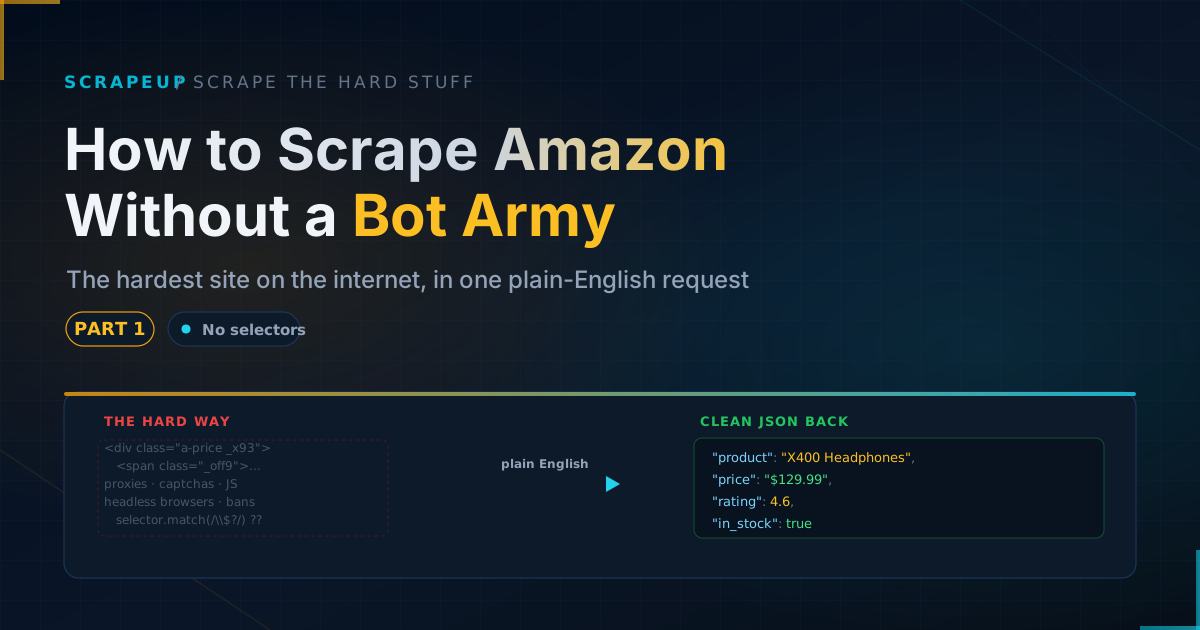
This is Part 1 of our series, Scrape the Hard Stuff — Without the Hard Part, where we take the websites everyone calls impossible and get clean data out of them with a single plain-English request.
Ask anyone who has tried it: Amazon is the boss level of web scraping. It has more product pages than almost anything on the internet, the richest review data anywhere, and a small army of defenses designed to stop automated visitors cold. Most people assume pulling data from it reliably requires a team of engineers and a fleet of servers.
It doesn't — not anymore. In this post you'll see exactly why Amazon is so hard, what you'd traditionally have to build, and how the same result comes from one request where you simply describe the data you want.
Why Amazon is so hard to scrape
Amazon isn't hard by accident. It's hard by design. Three things trip up almost every do-it-yourself attempt:
1. It fights bots aggressively. Send too many automated requests and Amazon serves CAPTCHAs, throttles you, or blocks your IP address entirely. A naive scraper gets shut out within minutes.
2. The page layout keeps changing. Amazon constantly runs A/B tests, showing different page structures to different visitors. A scraper hand-tuned to find the price in one layout silently returns nothing the moment it hits a different variant — and you often don't even realize it's failing.
3. Much of the page loads later. Prices, availability, and other details are often filled in by JavaScript after the initial page loads. A basic scraper that just grabs the raw page sees blanks where the important numbers should be.
Individually, each of these is a headache. Together, they're the reason "just scrape Amazon" is a running joke among developers.
The old way: building a bot army
To handle all of that yourself, the traditional shopping list looks something like this. You'd set up a rotating pool of proxy servers so your requests come from many different addresses and don't get banned. You'd run a fleet of headless browsers — full web browsers with no screen — so JavaScript-loaded content actually appears. You'd wire in a CAPTCHA-solving service for when Amazon challenges you. And then you'd write and endlessly maintain the fragile rules that pick the price, title, rating, and reviews out of the page — rules that break every time Amazon reshuffles its layout.
That's weeks of engineering to start, and ongoing maintenance forever. It's a real project with a real team behind it. For most people who just need the data, it's wildly out of proportion to the goal.
The ScrapeUp way: describe what you want
Here's the shift. Instead of building all that machinery, you point ScrapeUp at the product page and describe — in plain English — the data you want back. All the hard parts (proxies, browsers, CAPTCHAs, layout changes) are handled behind the scenes.
The instruction is as simple as this:
From this Amazon product page, get me:
the product name, current price, original price,
star rating, number of reviews, whether it's in stock,
and the top 3 review highlights.
And what comes back is clean, organized data, ready to drop into a spreadsheet, a database, or a report:
{
  "product_name": "ProSound X400 Wireless Headphones",
  "price": "$129.99",
  "original_price": "$179.99",
  "rating": 4.6,
  "review_count": 1847,
  "in_stock": true,
  "review_highlights": [
    "Exceptional noise cancellation for the price",
    "Battery life beats the advertised 30 hours",
    "Comfortable for long sessions, slightly heavy"
  ]
}
No selectors to write. No layout rules to maintain. When Amazon changes its page next month, your request doesn't change at all — you asked for the price, not for "the text inside this specific box," so it keeps working.
For the technically curious, yes: under the hood this is a single API call, and dropping it into a script is a few lines. But the part that used to take a team — the proxies, the browsers, the anti-bot cat-and-mouse — is simply gone.
What you just skipped building
That one request quietly replaced all of this:
- A rotating pool of proxy servers to avoid IP bans.
- A fleet of headless browsers to load JavaScript content.
- A CAPTCHA-solving pipeline for when Amazon pushes back.
- Hand-written extraction rules for every field — and constant upkeep as the layout shifts.
- The monitoring to notice when all of the above silently breaks.
Weeks of setup and permanent maintenance, collapsed into a sentence describing what you want.
Where this is genuinely useful
Once getting Amazon data is this easy, a lot of everyday business questions become answerable without a project plan. You can track competitor prices across thousands of products and get alerted when they move. You can monitor your own listings' ratings and reviews for early warning signs. You can research a market by pulling pricing and demand signals across a whole category. And you can keep an eye on stock levels for products that matter to you.
None of that requires you to become a scraping engineer. It just requires you to describe what you want.
Up next in the series
Amazon was the boss level. Next, we take on the site whose code is deliberately scrambled so scrapers can't find anything — and show why that no longer stops you either. Subscribe so you catch it.
FAQ
Is it legal to scrape Amazon?
Collecting publicly visible information — prices, titles, ratings, review text anyone can see on the page — is generally acceptable when done responsibly: at a reasonable rate and within the site's rules. Reputable tools focus on public data and avoid overloading the site. As always, if you have a high-stakes or commercial use case, it's wise to confirm with a legal professional.
Do I need to know how to code to get Amazon data with ScrapeUp?
You need very little. ScrapeUp is technically an API, so the data is delivered in a developer-friendly format (JSON), and running it in a script is only a few lines. But the hard, specialized parts of scraping — proxies, browsers, CAPTCHAs, and layout rules — are gone. You describe the data you want in plain English rather than writing complex extraction logic.
Why does scraping Amazon usually break?
Because Amazon constantly changes its page layout and actively blocks automated visitors. Traditional scrapers depend on the layout staying the same and on not getting blocked — two things Amazon deliberately prevents. Describing the data by meaning, instead of by page location, is what keeps it working through those changes.
What can I do with the data?
Common uses include competitor price tracking, review and rating monitoring, market research across a category, and stock-availability alerts — all without building or maintaining scraping infrastructure.
Want to try it on a real product page? ScrapeUp gives you 25,000 free credits to start — no bot army required.